
In This Article
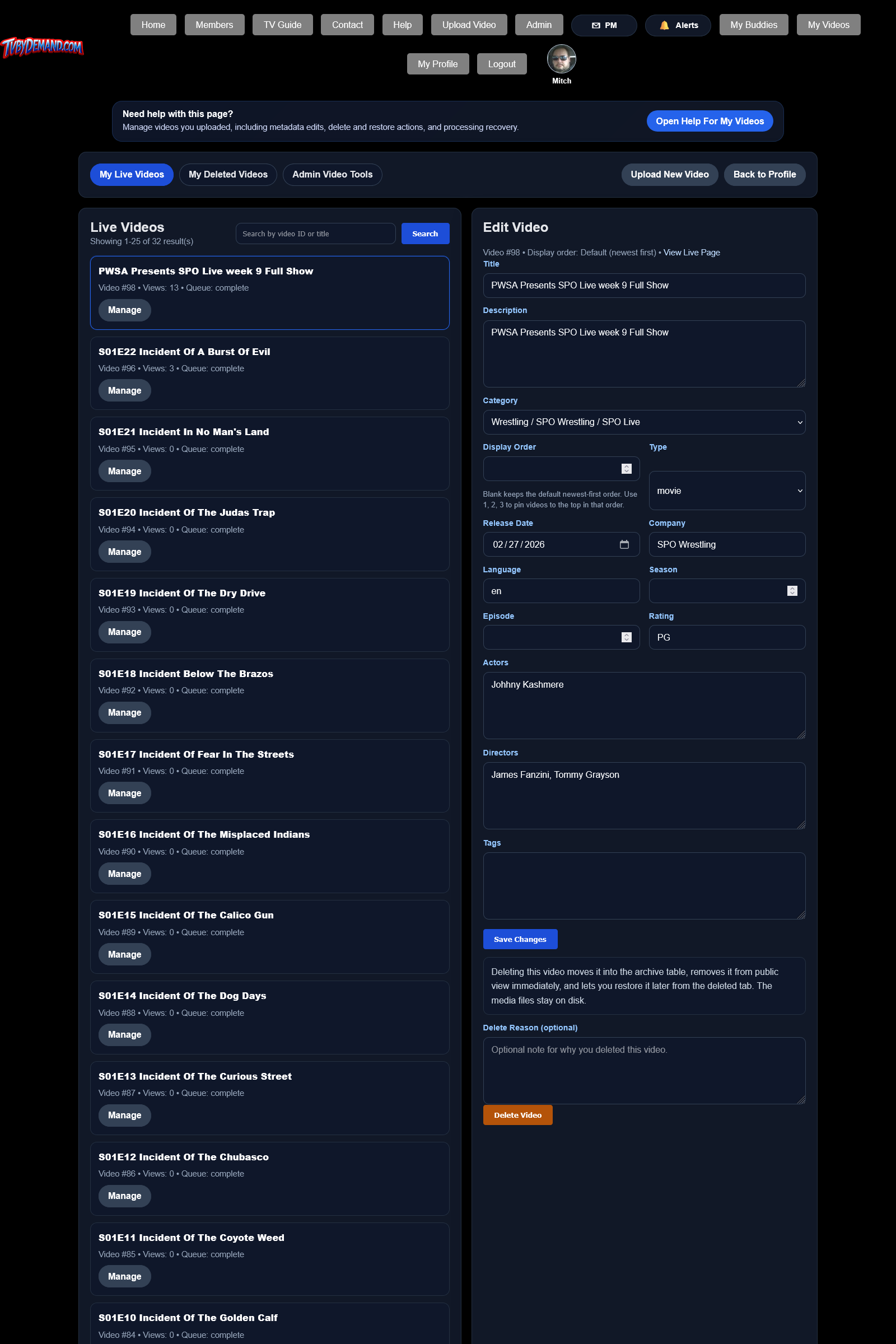
What you can manage
- Title, description, category, type, release date, cast, and tags.
- Delete your own video into the archive system instead of hard deleting it.
- Restore your own deleted videos.
- Retry HLS processing when a failed or cancelled job needs another attempt.
Things to remember
- Edits and deletes are blocked while a video is still actively processing.
- Admins can still restore archived videos through the admin tools.
- Category ordering tools may also appear here so you can control display order.
Keywords
Related Help
Uploading A Video
Upload a video, fill out metadata, monitor progress, and understand remote or local HLS processing.
Manual Video Ordering
Change the order videos appear inside a category instead of relying only on the default category sorting.
Video Posters And Thumbnails
Upload or replace poster and thumbnail artwork for a video and understand where those files are stored.
Still Need Help?
If this article did not answer what you needed, the fastest next step is to contact staff or PM an admin from your account.